
Download ClickZap – Free Right Click Enhancer for Windows & Mac
Revolutionieren Sie Ihre Maus mit ClickZap – Ein intelligentes Right‑Click‑Upgrade
Stellen Sie sich vor, Sie könnten eine verborgene Ebene der Mausleistung mit nur einem doppelten Rechtsklick freischalten. Während die meisten Nutzer mit Links‑Klick‑Aktionen, Rechts‑Klick‑Menüs und sogar Doppelklick‑Links vertraut sind, bleibt eine Geste ungenutzt: der doppelte Rechtsklick. Hier kommt ClickZap ins Spiel, ein minimalistisches, aber leistungsstarkes Tool, das das ungenutzte Potenzial Ihrer Maus zum Leben erweckt. Diese kostenlose Software ermöglicht es Ihnen, benutzerdefinierte Aktionen dem doppelten Rechtsklick zuzuweisen und so eine selten genutzte Eingabe in einen Produktivitäts‑Booster zu verwandeln.
ClickZap ist auf Einfachheit und Effizienz ausgelegt. Nach der Installation läuft es still im Hintergrund, ohne Ihren System‑Tray zu verstopfen – keine nervigen Symbole, keine Ablenkungen. Stattdessen legt es eine praktische Desktop‑Verknüpfung an, über die Sie sofort auf die Einstellungen zugreifen können. Dieses saubere Design macht es ideal für Anfänger und fortgeschrittene Nutzer, die Leistung und Minimalismus schätzen. Ob Sie Student, Profi oder Gelegenheitsnutzer sind, ClickZap hilft Ihnen, wiederkehrende Aufgaben mit einem schnellen doppelten Rechtsklick zu rationalisieren.
Von der Sperrung Ihres Computers mit einer einzigen Geste bis zum Herunterfahren, Stummschalten der Audioausgabe oder Minimieren aller offenen Fenster – ClickZap bietet eine Reihe praktischer Aktionen. Es ist besonders nützlich für Multitasker, die mehrere Anwendungen jonglieren und schnellen Zugriff auf System‑Steuerungen benötigen. Das Tool ist leichtgewichtig, sicher und erfordert keine komplexe Konfiguration – wählen Sie einfach Ihre bevorzugte Aktion und los geht’s. Mit ClickZap wird Ihre Maus mehr als nur ein Zeigegerät; sie entwickelt sich zu einem personalisierten Produktivitäts‑Assistenten.
Key Features That Make ClickZap Stand Out
- Double Right-Click Customization – Assign any action to a double right-click, unlocking a new dimension of mouse interaction.
- Lightweight & Background Operation – Runs silently without consuming system resources or displaying icons in the taskbar.
- Easy Desktop Shortcut – Access settings instantly via a desktop link—no need to dig through menus.
- Multiple System Actions – Lock computer, mute sound, shut down, restart, end session, minimize all windows, and more.
- Free & Secure – No ads, no bloatware, and no hidden tracking. Fully safe to download and use.
- Universal Compatibility – Works seamlessly on Windows and Mac systems.
One of the standout features of ClickZap is its focus on user experience. Unlike many similar tools that overwhelm users with complex interfaces, ClickZap keeps things simple. The configuration panel is clean and intuitive, allowing you to choose from a predefined list of actions. There’s no need to write scripts or tweak registry settings—everything is done with a few clicks. This makes it perfect for users who want to enhance their workflow without diving into technical details.
Another major advantage is its low impact on system performance. ClickZap uses minimal CPU and memory, ensuring it won’t slow down your computer even during intensive tasks. It’s also designed with security in mind, avoiding third-party dependencies and unnecessary permissions. The software is regularly updated to ensure compatibility with new operating system versions and to fix any bugs.
How to Install and Use ClickZap on Windows and Mac
Installing ClickZap is quick and straightforward. Start by downloading the latest version from the official website. The file is small in size (under 5MB), ensuring fast download times even on slow connections. Once downloaded, simply run the installer and follow the on-screen instructions. The setup process takes less than a minute and doesn’t require admin rights in most cases.
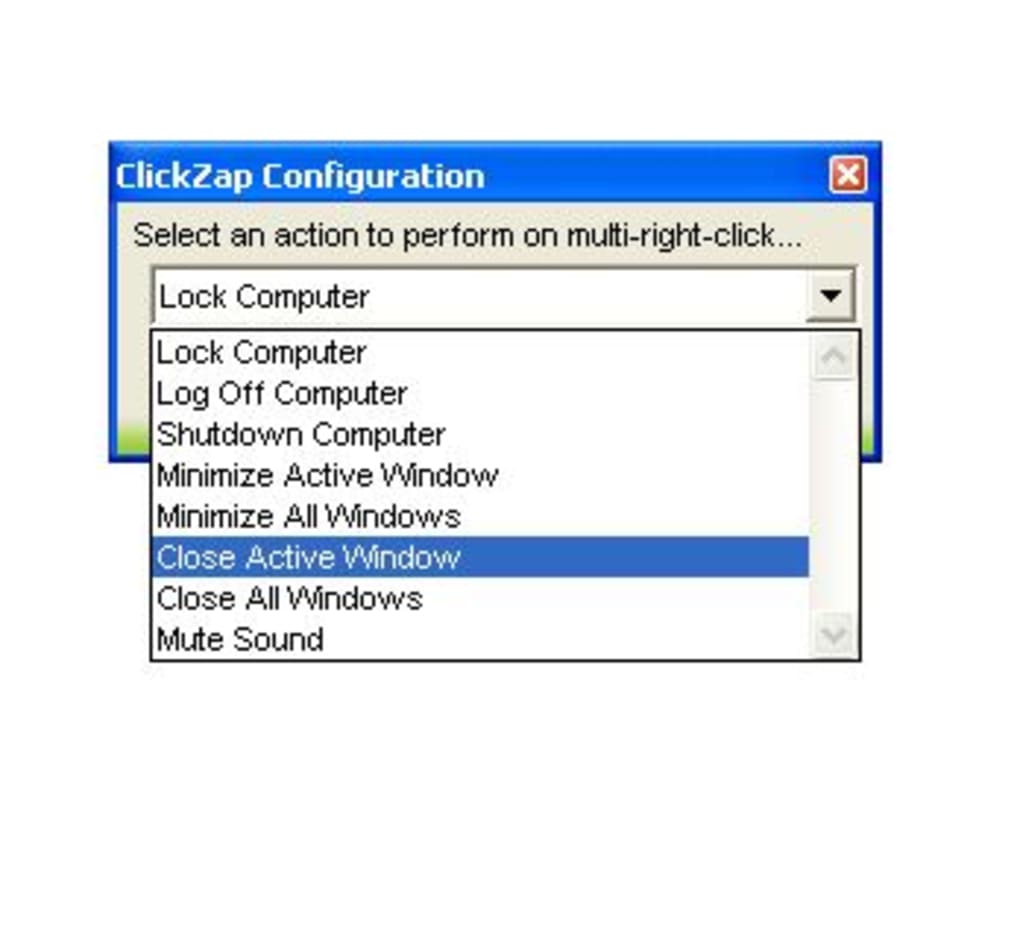
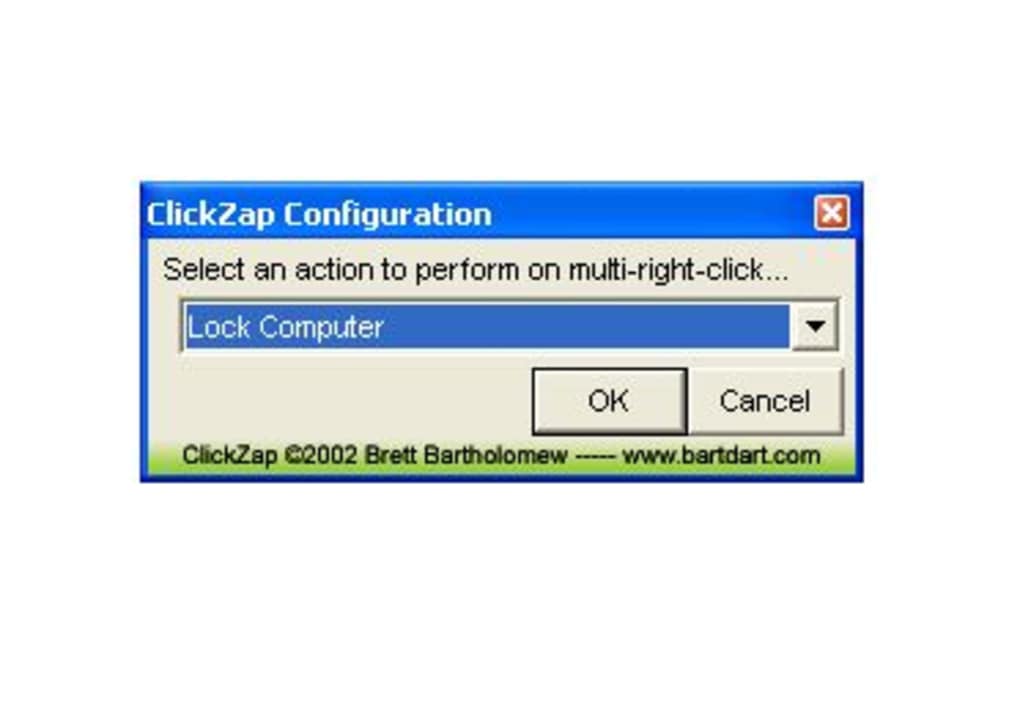
After installation, ClickZap runs automatically in the background. You’ll notice a new shortcut on your desktop named “ClickZap Settings.” Double-click this shortcut to open the configuration window. Here, you’ll find a clean list of available actions. Simply select the one you want to assign to the double right-click gesture—such as “Lock Computer” or “Mute Sound”—and save your choice.
That’s it! From now on, whenever you double-click the right mouse button, the selected action will trigger instantly. You can change the assigned function at any time by reopening the settings. No restarts, no reinstallation—just real-time updates. The tool is also compatible with external mice and trackpads, making it a versatile addition to any setup.
For Mac users, ClickZap supports both Intel and Apple Silicon (M1/M2) chips. The interface is fully localized and integrates smoothly with macOS Mojave and later. On Windows, it works with Windows 10, 11, and even older versions like 7 and 8.1. The software doesn’t interfere with other mouse utilities, so you can use it alongside tools like X-Mouse Button Control or AutoHotkey.
Compatibility and System Requirements
ClickZap is designed to be accessible to a wide range of users. It supports both Windows and Mac operating systems, making it a cross-platform solution for desktop power users. On Windows, it’s compatible with Windows 7, 8, 8.1, 10, and 11—covering nearly all modern desktops and laptops. For Mac users, ClickZap runs on macOS Mojave (10.14) and later, including the latest Sonoma release.
The system requirements are extremely low. You’ll need at least 512MB of RAM and 10MB of free disk space—resources that almost every modern computer has. The software doesn’t require .NET Framework or Java, which means it installs cleanly without additional dependencies. It’s also safe to use on work or school computers, as it doesn’t modify system files or inject drivers.
Whether you're using a standard USB mouse, a gaming mouse, or a trackpad, ClickZap detects the input device and registers the double right-click gesture accurately. It’s particularly useful for users with limited keyboard shortcuts or those who prefer mouse-based navigation. The tool is ideal for remote workers, content creators, developers, and anyone looking to reduce mouse clicks and boost efficiency.
Pros and Cons: Is ClickZap Worth It?
Pros
- Free to download and use with no hidden costs
- Extremely lightweight and fast
- Runs silently in the background
- Simple, intuitive interface
- Supports both Windows and Mac
- Safe, secure, and free of malware
- Quick setup with no technical knowledge needed
Cons
- Limited to double right-click—no support for other gestures
- No built-in logging or advanced customization
- Only available in English (no language localization)
- Desktop shortcut is required for settings access
- Not available for Android or iOS devices
Frequently Asked Questions (FAQ)
Final Verdict: A Smart Upgrade for Your Mouse
ClickZap mag wie ein kleines Tool erscheinen, doch seine Auswirkung auf die tägliche Produktivität ist erheblich. Indem es Ihnen ermöglicht, leistungsstarke Aktionen dem doppelten Rechtsklick zuzuweisen, verwandelt es eine übersehene Geste in einen Game‑Changer. Ob Sie Ihren Bildschirm sperren, Audio stummschalten oder Ihren PC herunterfahren – Sie können es schneller und mit weniger Schritten erledigen.
Seine Einfachheit, Zuverlässigkeit und plattformübergreifende Unterstützung machen es zu einer herausragenden Wahl unter den Maus‑Enhancement‑Tools. Während es keine fortgeschrittenen Skripte oder Gesten‑Mapping bietet, glänzt es in seinem Kernzweck: eine saubere, sichere und effektive Methode zur Effizienzsteigerung zu liefern.
Wenn Sie nach einer kostenlosen, leichtgewichtigen und sicheren Möglichkeit suchen, Ihr Maus‑Erlebnis zu verbessern, ist ClickZap ein Muss. Laden Sie es noch heute herunter und entfesseln Sie das volle Potenzial Ihres Rechtsklicks.
Download ClickZap now and transform your mouse into a productivity powerhouse.







